Evolver Agents
What are Evolver Agents?
Evolver Agents are specialized evolver designed to help you create and refine new AI agents based on your existing conversations. Instead of manually configuring every aspect of a new agent, an Evolver Agent can analyze a conversation where you’ve successfully solved a problem and “evolve” that context into a new, standalone child agent.
This allows you to capture experimental workflows, specialized knowledge, and unique problem-solving approaches that emerge during a conversation, and package them into a reusable expert assistant.
Managing Your Evolvers
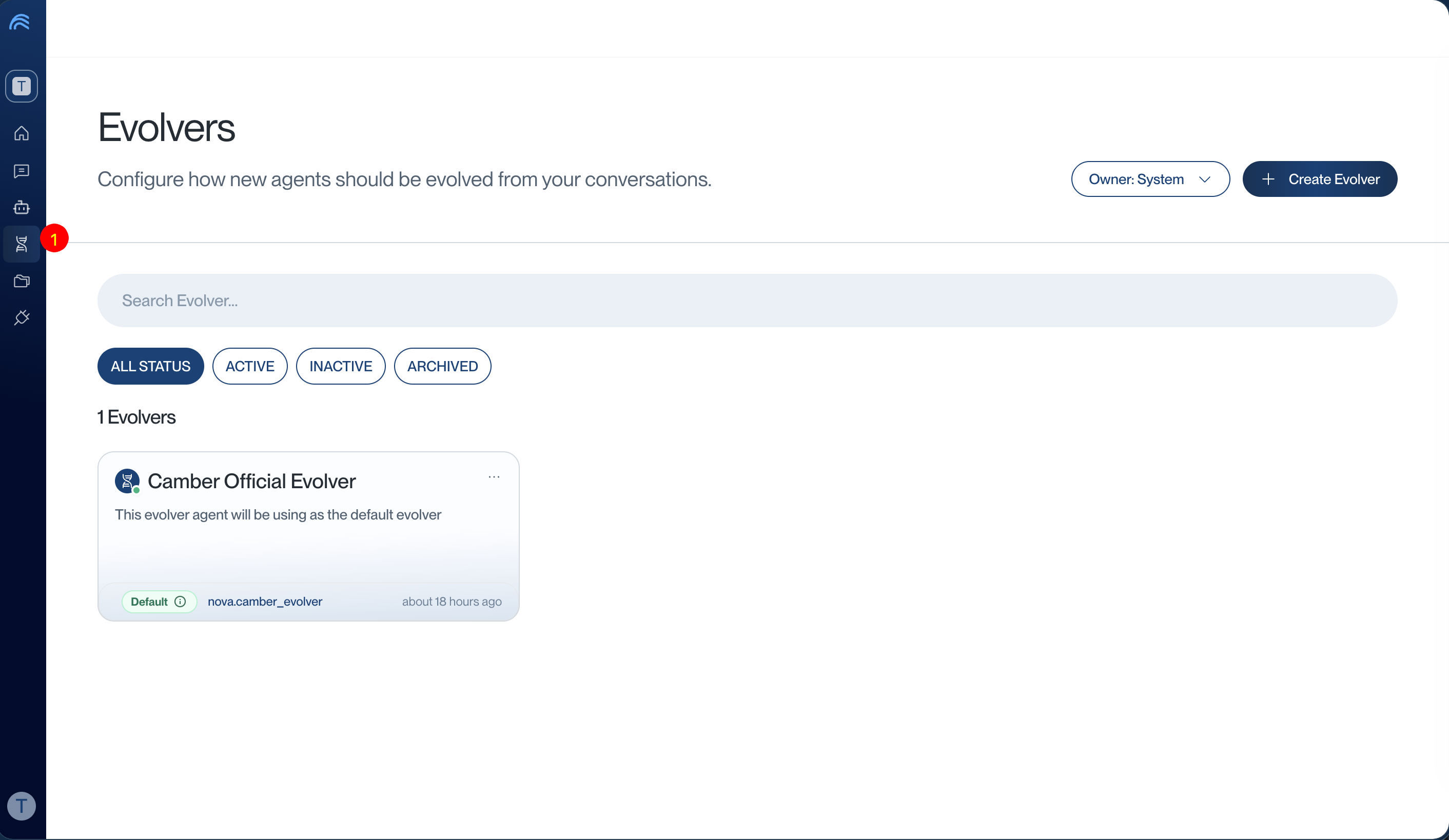
You can manage and configure your Evolver Agents in the platform: https://app.cambercloud.com/evolver-agents
The Default Evolver
CamberCloud provides a system-default evolver:
- Default Evolver:
@nova.camber_evolver
For most users, this default evolver is sufficient to start creating child agents. However, you can also create and set your own custom Evolver Agents to follow specific refinement logic or organizational standards.
To use your own evolver, you must set it as the Default in the Evolver Agents management page.
How to Evolve an Agent
Evolving an agent is a seamless process within your conversations:
Step 1: Click “Create Agent”
In any conversation where you’ve established a useful context or solved a complex problem, click the “Create Agent” button located at the top right of the conversation interface.
Step 2: Automatic Evolution
Once you click the button, your default Evolver Agent will be invoked. It will:
- Analyze the conversation context: Extract key instructions, methodologies, and knowledge revealed during the chat.
- Create a child agent: This new agent inherits the context of the conversation but is evolved and refined according to the Evolver Agent’s instructions.
- Refine the identity: The evolver will suggest a name, alias, and specialized system prompt for the new agent.
Step 3: Access Your New Agent
After the evolution process is complete, you can find and use your newly created agent in the AI Agents section of the platform: https://app.cambercloud.com/agents
Your new agent is now a standalone expert that you can invoke in any future conversation using its @mention alias.
Best Practices for Evolution
- Solve first, evolve later: The best agents are evolved from conversations where a clear, successful workflow has already been demonstrated.
- Set a default: Ensure your preferred Evolver Agent is set as default to streamline the “Create Agent” workflow.
- Review and refine: After an agent is evolved, visit its configuration page to further tune its instructions or expand its knowledge base.