Claude Code
This page explains how to connect Claude Code to CamberCloud’s MCP server so you can use Camber agents from the terminal. For installing Claude Code, supported surfaces (terminal, VS Code, and more), and general product behavior, see Anthropic’s Claude Code overview.
Setup
Get your Camber API key
The value you pass as <YOUR_CAMBER_API_KEY> is your Camber API token:
- Log in to app.cambercloud.com
- Open your profile settings
- Copy your API token
Camber MCP server endpoint
Configure Claude Code to use the Camber MCP server at this HTTP endpoint:
https://camber-mcp.dev.camber.cloud/mcp
Use this URL everywhere the MCP client asks for the server address: claude mcp add commands, .mcp.json url field, and other JSON or IDE settings that register the Camber integration.
Using the Claude CLI
If you want the Camber MCP server available globally (across projects):
claude mcp add --transport http camber-mcp \
  https://camber-mcp.dev.camber.cloud/mcp \
  --header "Authorization: Bearer <YOUR_CAMBER_API_KEY>"
If your terminal is inside a project and you only want it for that repository:
claude mcp add --transport http camber-mcp \
  https://camber-mcp.dev.camber.cloud/mcp \
  --header "Authorization: Bearer <YOUR_CAMBER_API_KEY>" \
  --scope project
Use the token from Get your Camber API key in place of <YOUR_CAMBER_API_KEY>.
Manual configuration
You can also add the server by editing MCP settings JSON. For example, a .mcp.json file in a project:
{
  "mcpServers": {
    "camber-mcp": {
      "type": "http",
      "url": "https://camber-mcp.dev.camber.cloud/mcp",
      "headers": {
        "Authorization": "Bearer <YOUR_CAMBER_API_KEY>"
      }
    }
  }
}
Usage
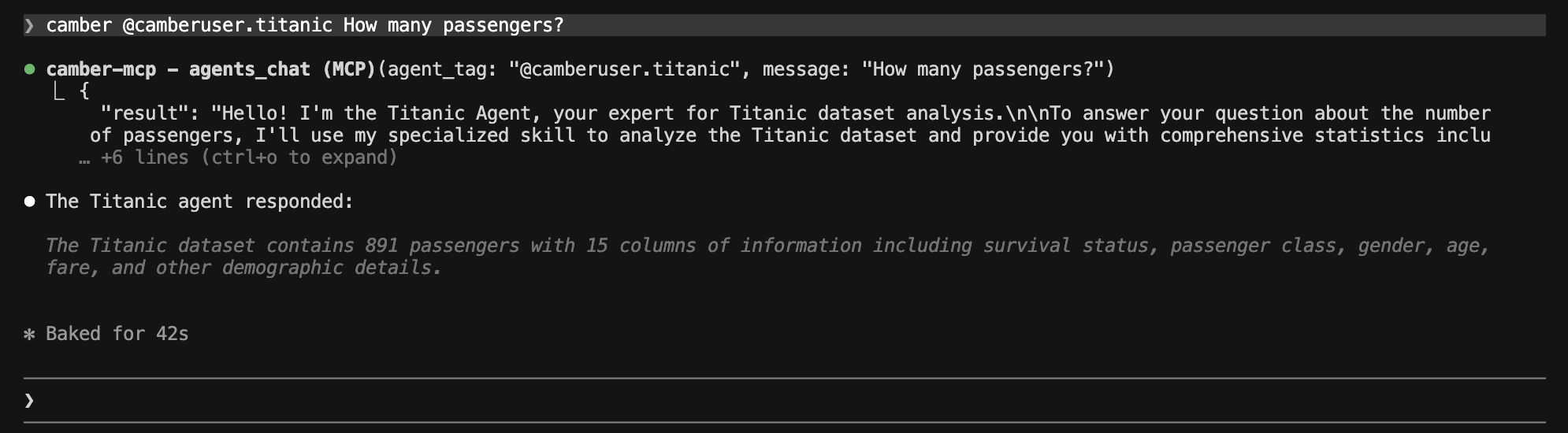
With the Camber MCP server configured, Claude Code can call Camber agents through tools such as agents_chat. The CLI shows the MCP tool invocation (for example camber-mcp / agents_chat with your agent tag and message) and returns the agent’s answer.
Agent tags
Agent tags use the same @mention pattern as in Nova and the AI Agents docs. The tag identifies who owns the agent and the agent’s alias (the short handle you set when you create the agent):
| Scope | Agent tag format | Example |
|---|---|---|
| Your personal agents | @<username>.<agent_alias> | @myusername.crystal_expert |
| Team-shared agents | @<teamname>.<agent_alias> | @lab.crystal_expert |
<username>— Your Camber username (personal agents live under your account).<teamname>— The team name for agents shared with your team; members invoke them as@teamname.agent_alias.<agent_alias>— The alias from the agent’s configuration, not the display name.
In Claude Code, pass that tag after @ and add your question, for example:
camber @username.agent_alias Your question hereA concrete example (personal agent): camber @camberuser.titanic How many passengers?