Apps
What Are Apps?
Imagine turning a complex laboratory into a simple online form. Apps transform sophisticated research software into point-and-click interfaces where you just fill out forms and hit “Run.”
Examples:
- Molecular dynamics: Select parameters → Choose method → Click go
- Genomics pipelines: Upload data → Pick analysis → Launch
- Fluid dynamics: Set geometry → Configure solver → Simulate
Our directory features 21+ applications across genomics, materials science, fluid dynamics, and more. Each packages years of development into a user-friendly interface running on massive cloud resources.
How to Use Apps
Step 1: Browse the Directory
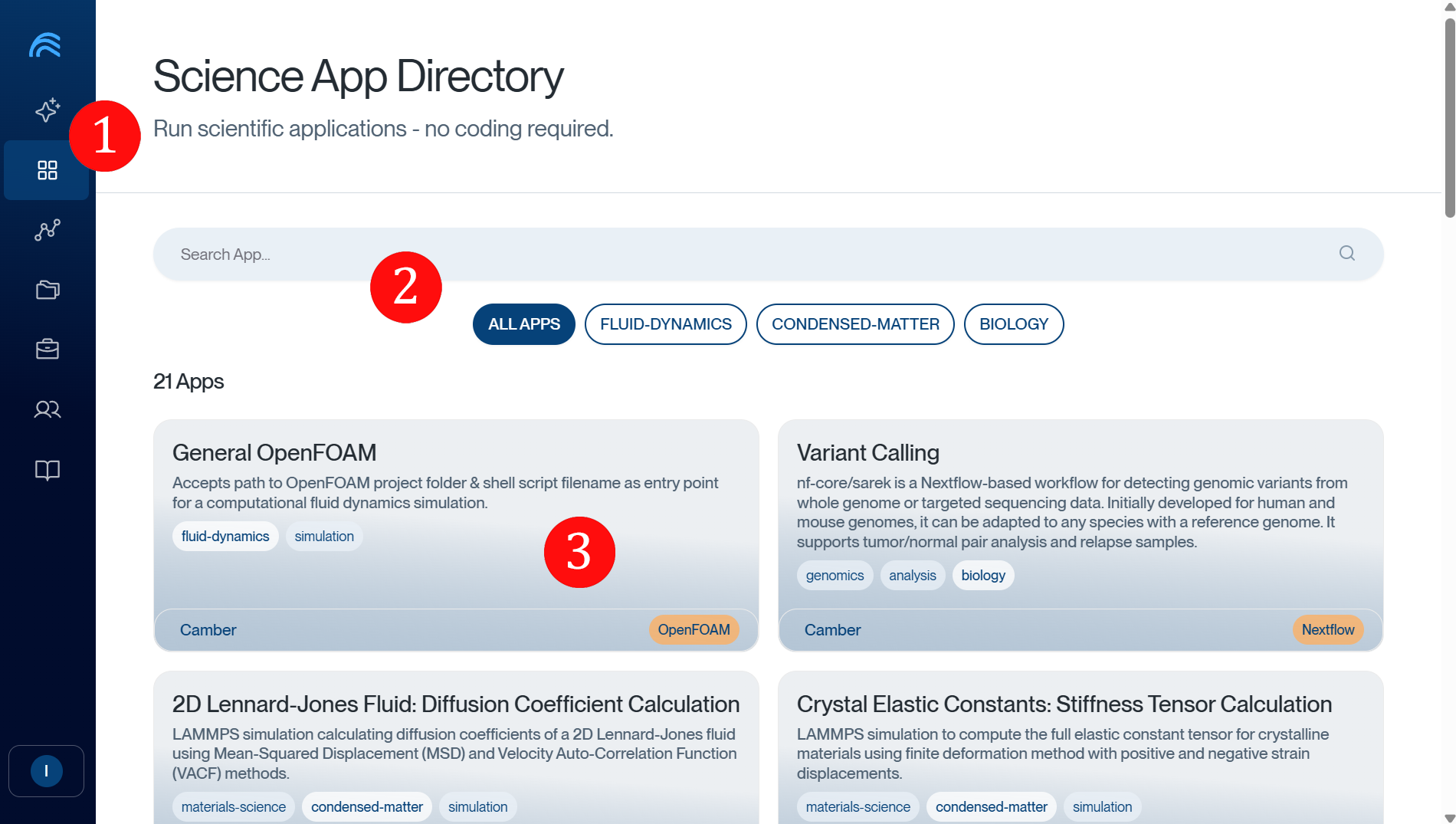
1. Access the App Directory through your platform navigation 2. Use search or category filters (FLUID-DYNAMICS, CONDENSED-MATTER, BIOLOGY) to find tools 3. Review app cards showing names, descriptions, and scientific domain tags
Step 2: Configure & Launch
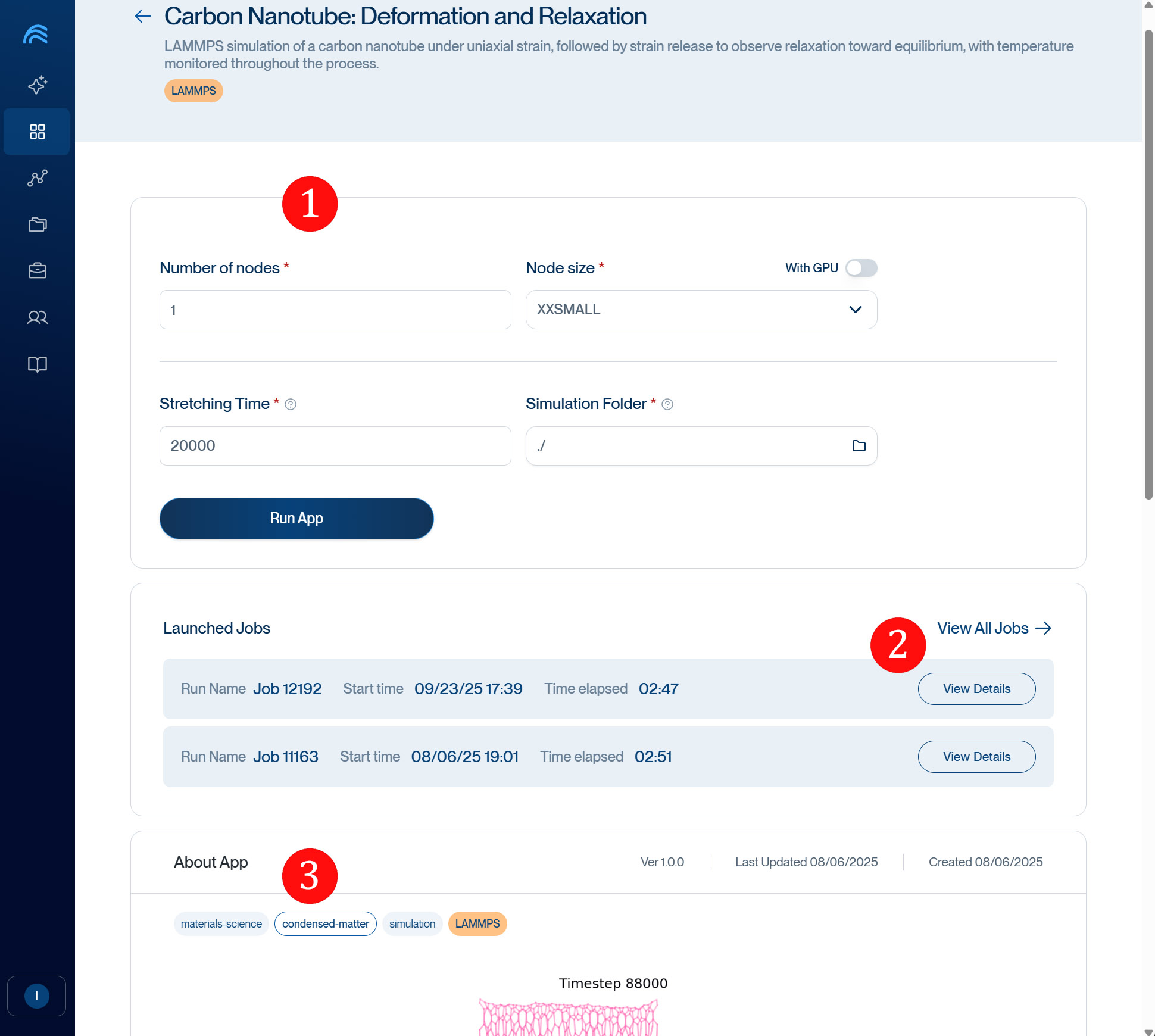
1. Set Parameters: Choose nodes, size, GPU, and app-specific settings. Parameter details are in the About App section below. 2. Monitor Jobs: View your recent runs with timing details and access logs 3. Learn More: Read comprehensive app documentation, version info, and scientific context
Ready to Start?
Browse the directory, pick your tool, and join researchers running world-class simulations with zero setup time.
Need help? Join our Slack community or contact support.